Arjun

Tools that save time

Productivity

Tools I build to get work done faster. Like my web development projects, they run right in the browser, with nothing to install.

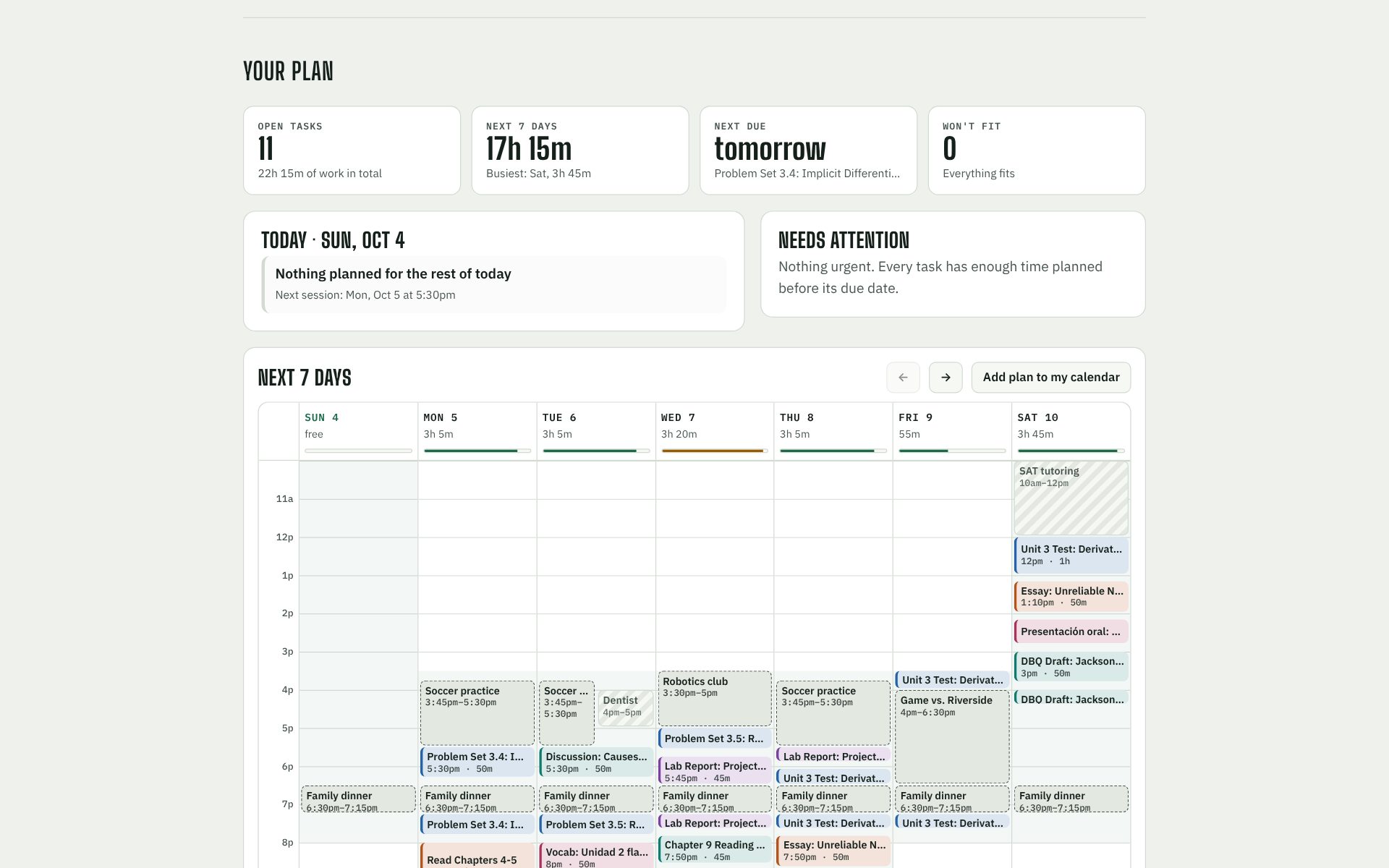
Docket's weekly plan: study sessions for each class fitted around soccer practice, a club meeting and family dinner, with the week's total work and each day's load.

Docket

A study planner for students on Canvas. It reads your assignments and your calendar, sizes up how hard each assignment is and how long it'll take, then plans your study sessions around classes, practices and everything else on your schedule.

  • JavaScript
  • Canvas API
  • iCalendar parsing
  • Scheduling algorithm
  • One-click Canvas import: a bookmark button pulls in due dates, points, instructions and what you've already turned in
  • Reads Google, Apple and Outlook calendars, including repeating events
  • Estimates time and difficulty from the kind of work, word and page counts, points and how hard the class is for you
  • Add your own activities: practices, games, clubs, a job
  • Spreads big projects and test prep over several days and flags anything that won't fit
  • Learns from how long things actually took you
  • Export the plan to your calendar; nothing ever leaves your browser

Free. No account needed. Your assignments stay on your own device.
01

Bring in your work

Click the Canvas bookmark, use your Canvas calendar feed, or paste your assignments page.

02

Tell it your time

Add your calendar, practices and clubs, and the hours you're willing to study each day.

03

Follow the plan

Check off sessions as you go. Docket re-plans around whatever's left.

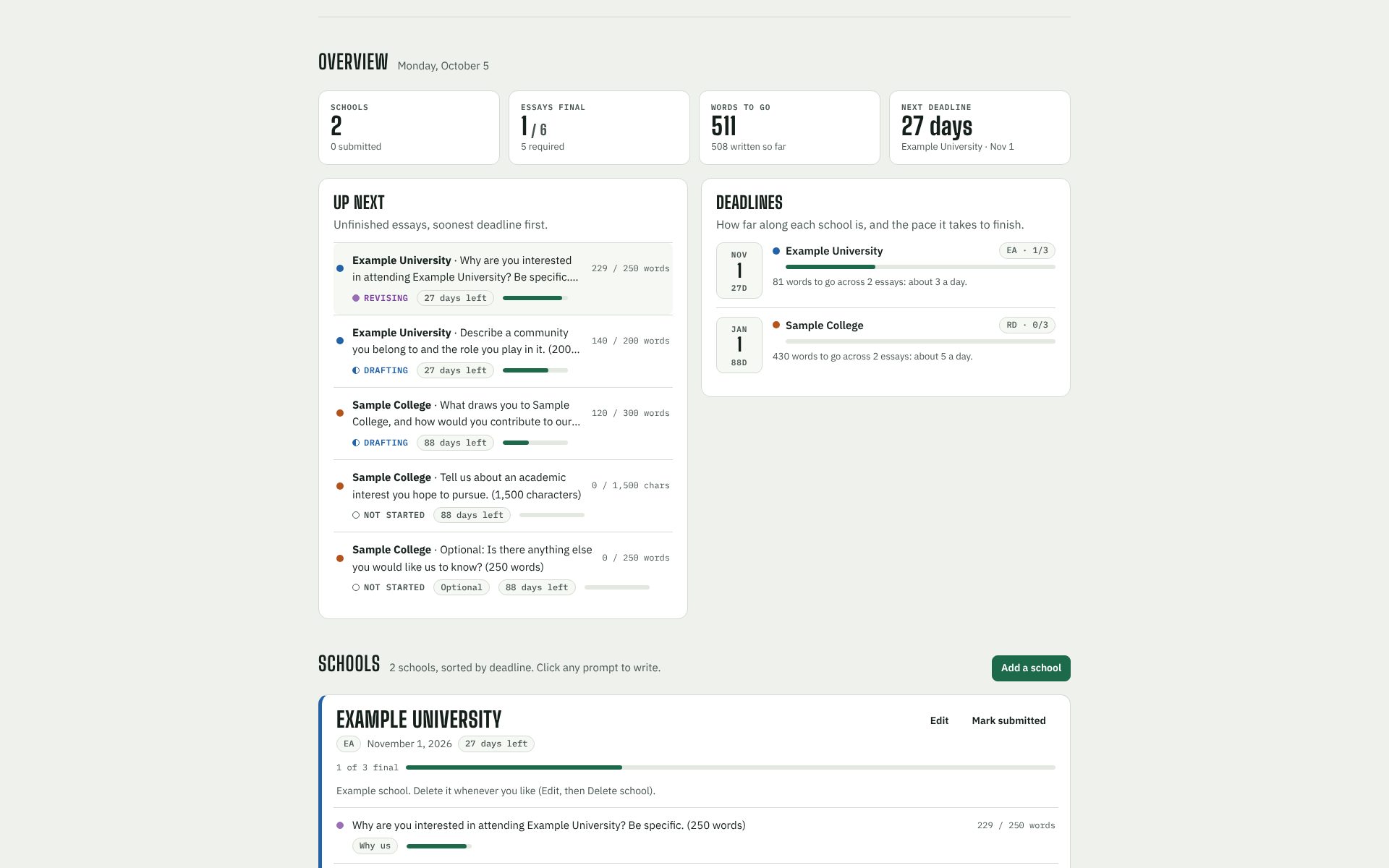
Prompted's overview: essays still to write sorted by deadline, each with a word count against its limit, beside a deadline timeline showing how far along each college is.

Prompted

A supplemental essay tracker for college applications. Keep every school's prompts, word limits, drafts and deadlines in one place, and see which prompts ask the same thing so you can write your best answer once and adapt it.

  • JavaScript
  • Text parsing
  • Local storage
  • The top 50 built in: pick schools from the U.S. News top 50 and your intended major, and the 2026–27 prompts, word limits, plans and deadlines fill in, including the ones specific to the college you're applying to
  • For any other school, paste its supplement page and it pulls out each prompt, its limit, and whether it's optional
  • Write in the app with a live count against each school's limit
  • A reuse map groups similar prompts (Why us, community, academic interest…) across all your schools
  • Start a new essay from one you've already written, then tailor it
  • Save versions before big rewrites and restore any of them
  • Deadline timeline with the daily pace you need to finish on time
  • Download every draft as one text file, or a backup to move to another computer

Free. No account needed. Your essays stay on your own device.

01

Add your schools

Enter each college with its application plan and deadline.

02

Get the prompts

Pick from the top 50 with your intended major, or paste any school's supplement page.

03

Write and reuse

Draft with a live word count, then start similar prompts from essays you've already written.